lostcreeksupplies.com
🌱 50W Adjustable Thermostat Seedling Heating Mat
🌱 50W Adjustable Thermostat Seedling Heating Mat
Couldn't load pickup availability
SPECIFICATIONS
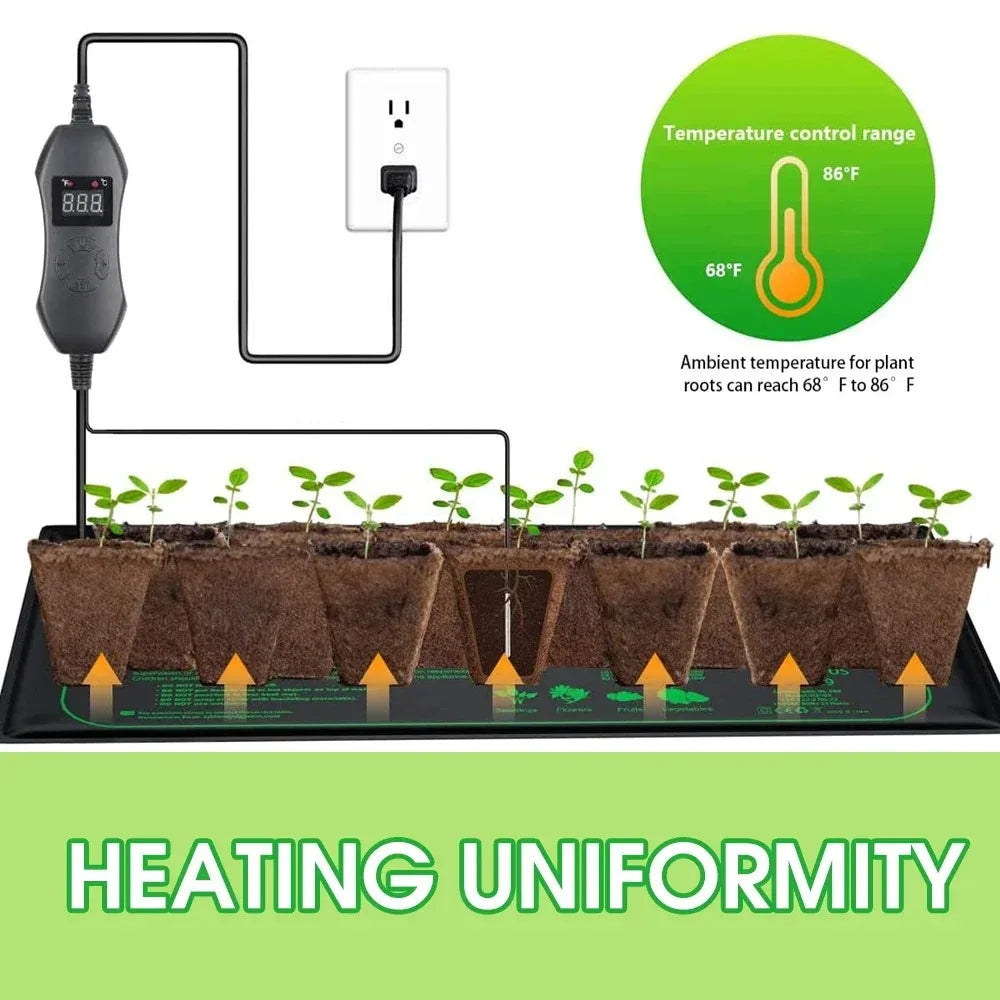
Give your seeds the steady warmth they need to sprout strong. This 50W heating mat delivers consistent, controlled heat for germination, indoor starts, and year‑round propagation. The adjustable thermostat lets you dial in the exact temperature your plants prefer, whether you’re starting tomatoes in February or keeping cuttings happy in the shop.
Why it works:
• Even, reliable heat across the entire mat
• Adjustable thermostat for precise control
• Works with US outlets
• Ideal for seed trays, starter pots, and nursery setups
• Durable, waterproof, and built for daily use
- Size: 24x52cm,
A simple tool that does its job — no gimmicks, just dependable warmth to get your plants growing.
- Press the switch button:When the device is powered on, the display will change from OFF to display the current measured temperature in Fahrenheit mode, and the Fahrenheit indicator will light up. If you need to switch the Nie degree, press the SET key to switch, the display will display the actual temperature of the temperature sensing line by default, and the display temperature index will change according to the temperature you set and the ambient temperature. If you need to see the set temperature, Need to double-click the SET key quickly to enter the temperature adjustment link, the display screen is the temperature you set, if you need to see the heating pad temperature index process, you need to put the temperature sensor head on the heating pad, there will be a change in the temperature index on the display screen, when using, the heating pad product must be flat,When powered OFF, the display will show off, while the Fahrenheit lamp and Celsius lamp will turn off, stop heating, stop temperature measurement, and the display will turn off after unplugging
- Fahrenheit and Celsius toggle:Press the SET key to switch the measured temperature value, and the red indicator light is off for the corresponding degrees Fahrenheit and Celsius.
- Set temperature adjustment:Double-click the SET key quickly to enter the temperature setting mode, and the display screen will blink twice to indicate the temperature setting value. Press the - key to lower the set temperature and lower the value by 1° at a time; Press the + key to increase the set temperature, and increase the value of 1° at a time, the highest temperature is 45 degrees, the lowest temperature is 20 degrees, if the display 45 degrees, press the + key will not respond, you need to press the - key, the set value is not determined when the value is blinking. Long press the +- key to increase or decrease by 300ms. After 3 seconds of no operation, or press the SET key again, exit the temperature setting mode, and the set temperature value is saved. After you exit the temperature setting, the temperature of the display remains stable and enters the temperature control mode
Share